How to Deliver Client Work Without Getting Ghosted (The 2026 Guide)

You spent weeks on the project. The design is flawless. The code is clean. The video edit is perfect. You export the final files, attach the Google Drive link to an email, hit "Send," and wait for the final payment.
Then... crickets. 🦗
Days go by. The client stops replying to emails. They ignore your WhatsApp messages. But you check the Google Drive analytics, and you see they’ve already downloaded the files. You’ve been ghosted.
Why Clients Ghost After Delivery
When a client ghosts you after receiving the final files, the problem is often in the delivery workflow.
When you hand over the final, unwatermarked, high-resolution source files via an open Dropbox or Google Drive link, you give up all your leverage. The client has what they want. The urgency to pay your final invoice drops to zero.
The Old Way (How to Get Ghosted)
- Step 1: Finish the work.
- Step 2: Send an open Google Drive/WeTransfer link with the final files.
- Step 3: Send a separate email with a Stripe or PayPal invoice.
- Step 4: Pray they pay it.
The New Way (The Pay-to-Unlock Workflow)
- Step 1: Finish the work.
- Step 2: Upload the final files to a secure delivery portal.
- Step 3: The client reviews a Preview.
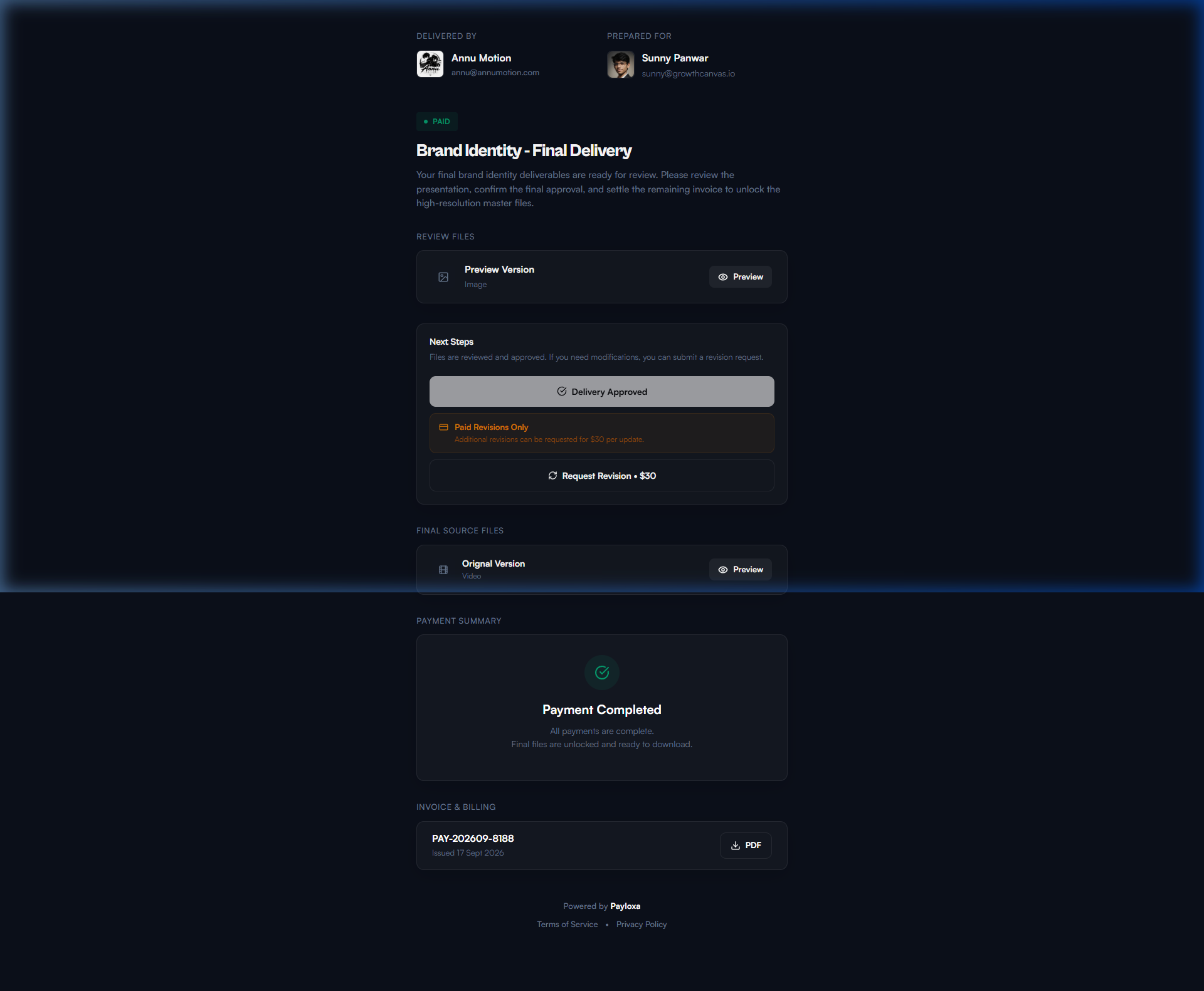
- Step 4: The client pays the invoice directly on the portal to unlock the final files automatically.
The 3-Step Framework to Secure Deliveries
1. Never Send Final Files Early
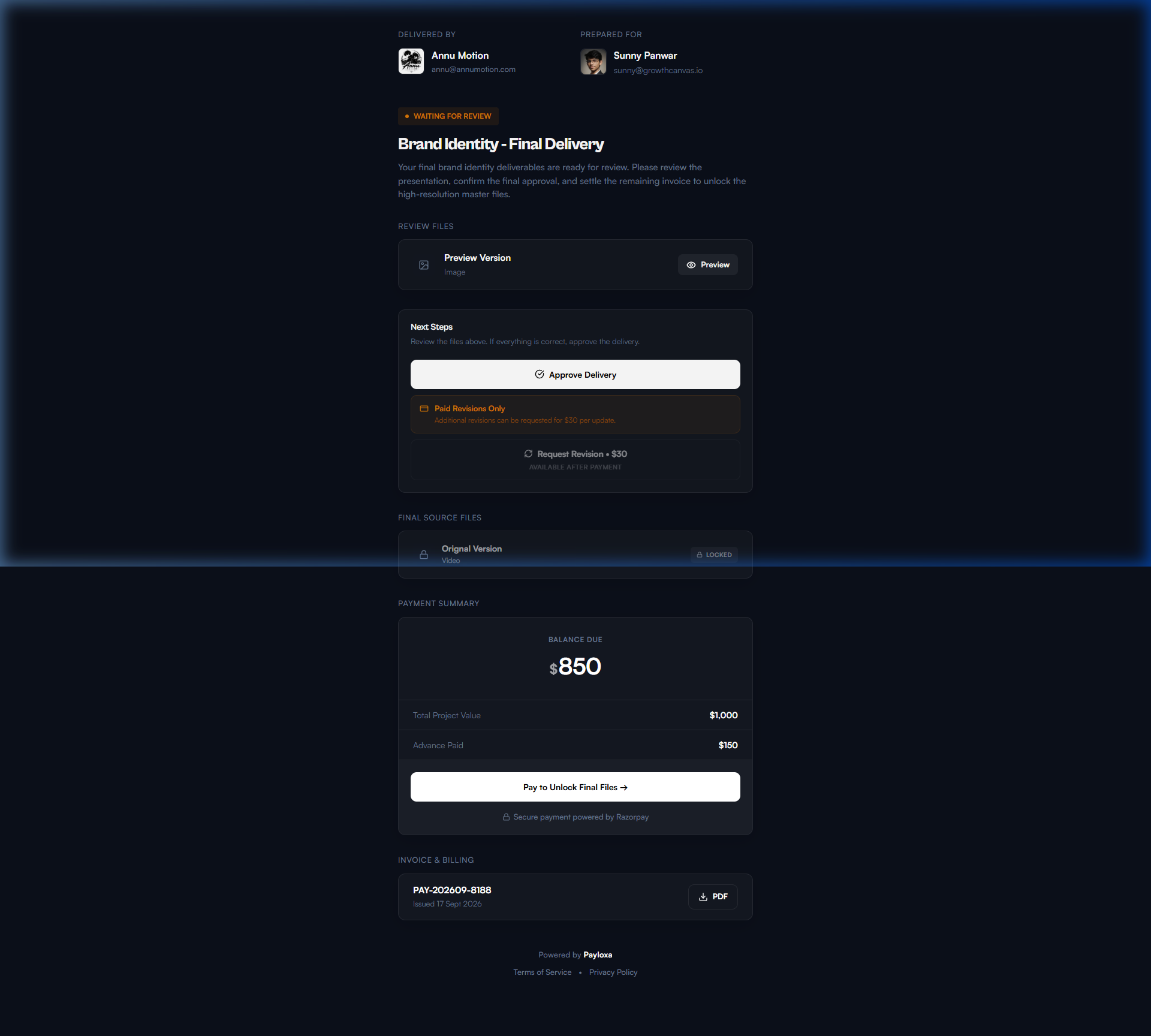
Your final delivery email should never contain the final files. Instead, it should contain a Preview. The client can review the Preview while the final files remain locked until payment.
2. Merge the Invoice with the Delivery
The biggest friction point is sending the invoice separately from the work. If the client has to open an invoice in one tab and review files in another, they will review the files and "forget" the invoice.
You need a system that locks the final files behind a paywall.
3. Automate the Handoff
When the client pays, they shouldn't have to wait for you to manually send another link. The system should automatically unlock the files the second the payment clears.
Client Delivery Email Script
When you're ready to hand over the project, don't just send a link. Set expectations. Use this exact email script:
Hi [Client Name],
Great news—the final deliverables for [Project Name] are ready for your review!
I've uploaded the presentation and Preview to your secure delivery portal here:
👉 [Insert Payloxa Delivery Link]
Please review the Preview. If everything looks good, you can approve the delivery and settle the final balance of [Amount] directly on the portal.
Once the payment is completed, the system will automatically unlock and let you download the final files.
Let me know what you think!
Best,
[Your Name]
How Payloxa Fixes the Delivery Workflow
Setting up this workflow manually (using Google Drive + Stripe + Zapier) is a headache. That's why we built Payloxa.
Watch this 2-minute demo to see exactly how a secure delivery works:
Stop getting ghosted. Start getting paid.
A professional way to deliver client work — with branded portals, Preview files, paid revisions, invoices, and payment-based final-file access.
Start free. No credit card required.
Frequently Asked Questions
What do I do if a client stops replying after I send the files?
Never send the final files before the final payment is cleared. Always send a Preview. Use a platform like Payloxa to automatically keep the final files locked until the invoice is paid.
How do I handle clients who ask for endless free revisions?
Define your revision limit in the initial contract (e.g., 2 free rounds). When you deliver the work, use a delivery portal that forces clients to pay for additional revisions upfront before the work begins.